Work Folder records
Records open as manila folders with tabs for details, documents, each related list, communications and activities. Linked records open in their own windows.
WorkFolder lays a modern, folder-based workspace over your EspoCRM: mail people enjoy, a calendar that turns like a desk pad, campaigns without the maze, and records filed the way people think. Same data, same roles, nothing migrated.
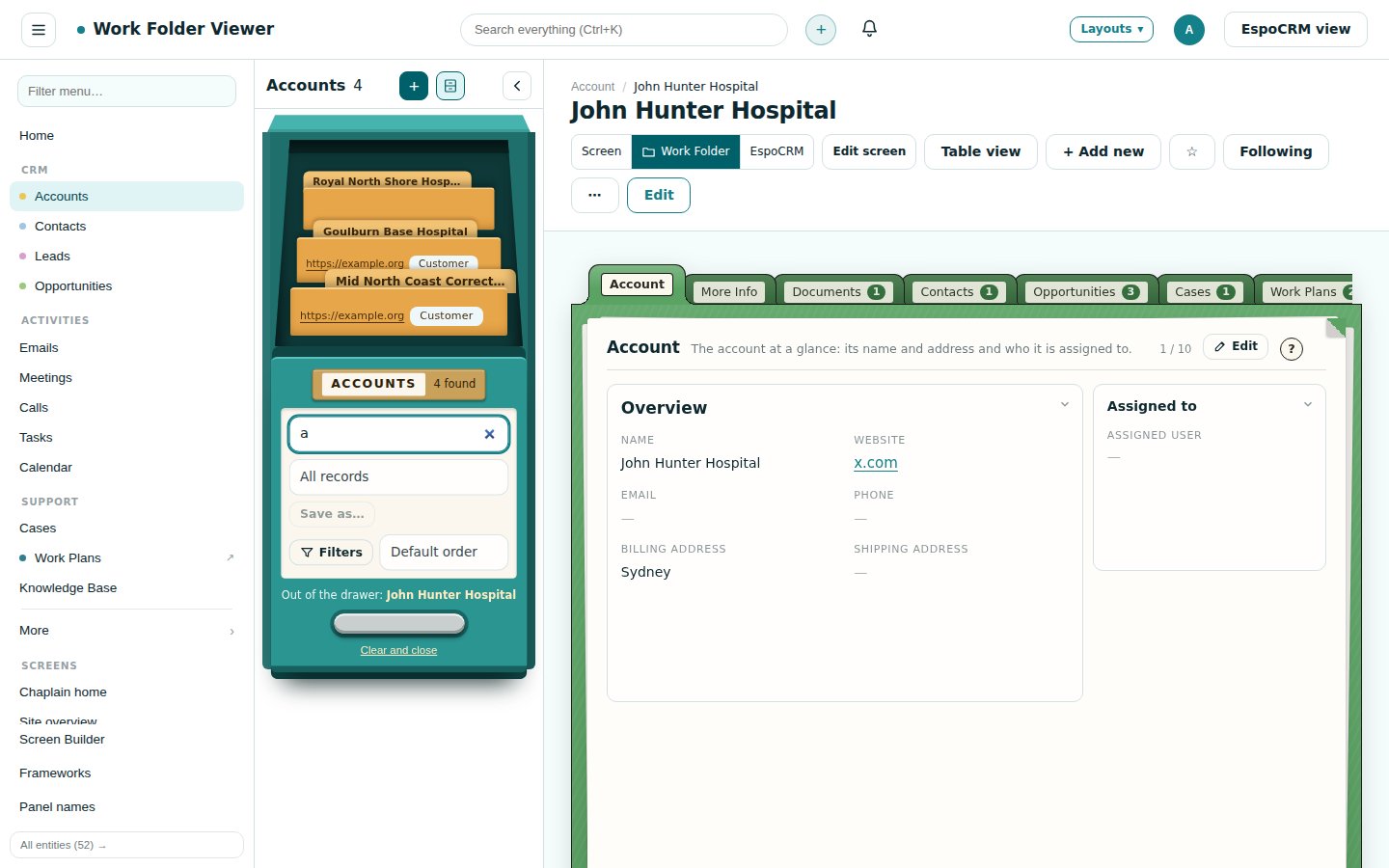
Same records, same server, taken minutes apart. Drag the handle, or use the arrow keys, to compare standard EspoCRM with WorkFolder.
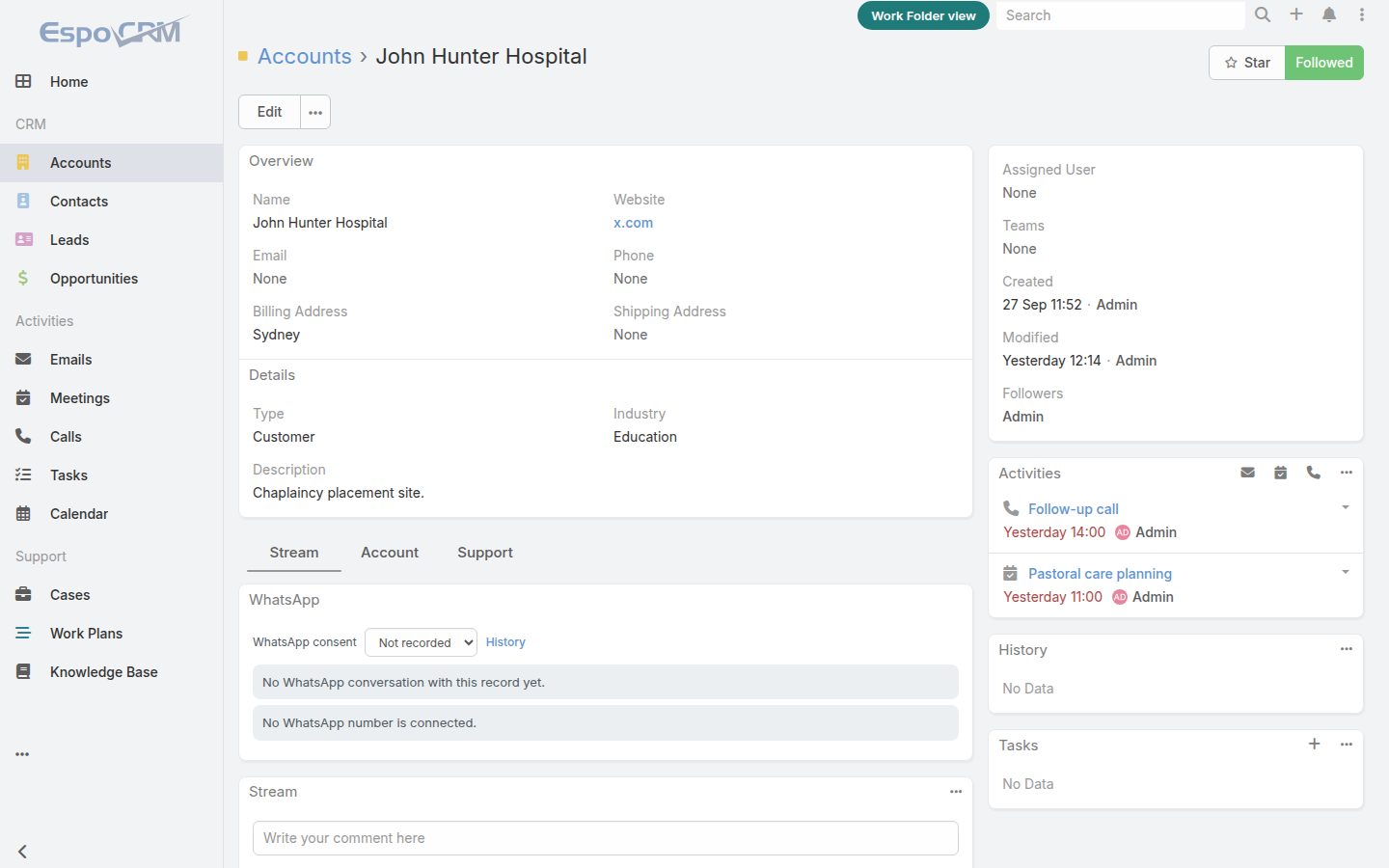
Every panel of a record sits in one long page. Contacts, cases, documents, activities and the stream pile up, so people scroll and lose their place.
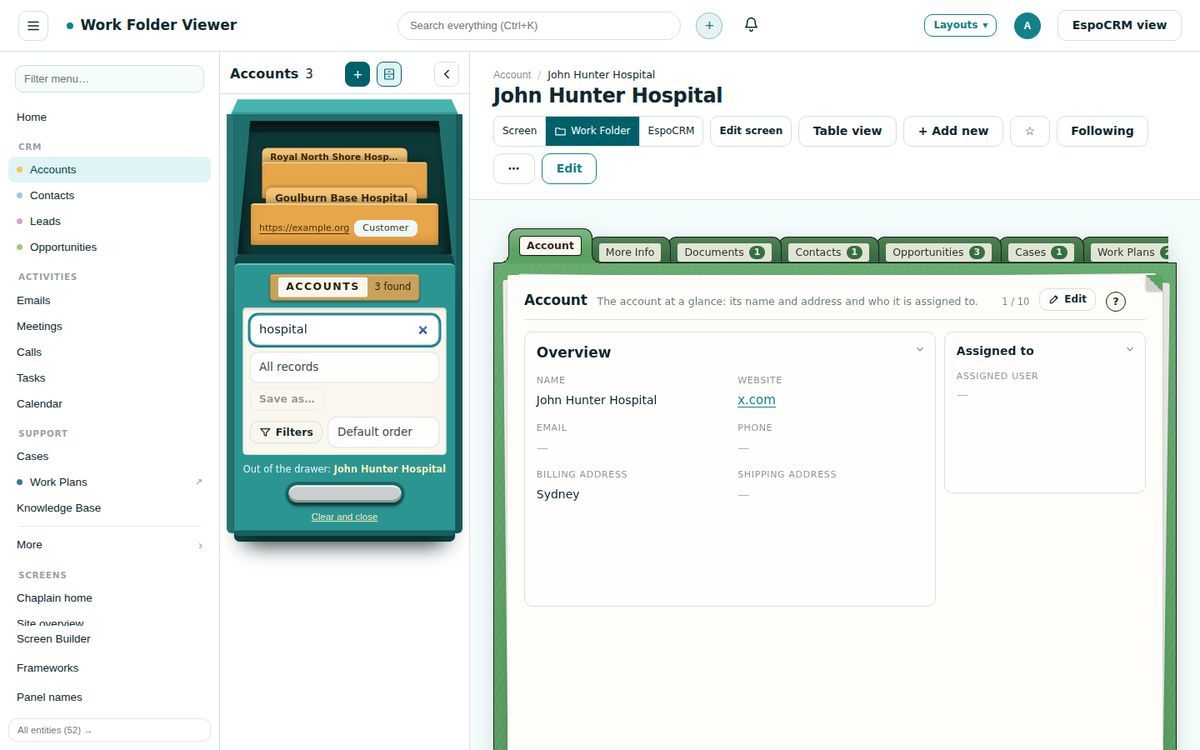
The list is a filing cabinet: the drawer slides open with matching records standing as folders, and the one you pull out opens beside it as a Work Folder, with manila tabs for details, documents, each list, communications and activities.
Every list can be a one-drawer filing cabinet. Search, saved filters and filters sit on the drawer front; as you search, the drawer slides open with the matching records standing as folders. Pull a folder and the record opens beside the cabinet, so you work down the list without losing your place.
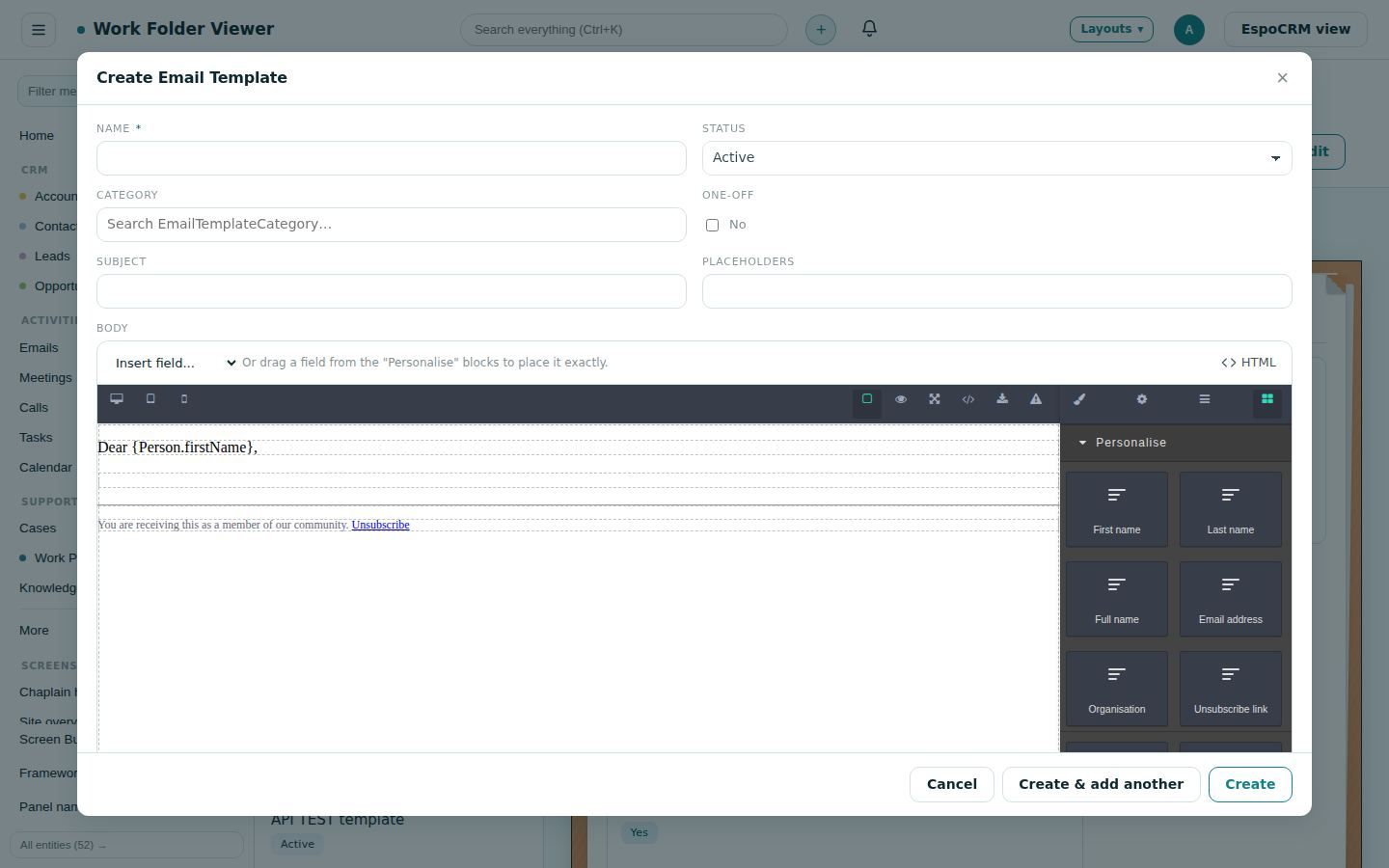
Build templates and campaign emails from design objects: sections and columns, text, pictures, buttons, dividers and personalised fields such as First name and Unsubscribe link, which EspoCRM fills in when the email goes out. New templates start from a standard layout, pictures are kept in EspoCRM, and the HTML is one click away.
Each level includes everything in the one before it.
A new face for everyday EspoCRM, ready the moment it is installed.
US$490 per site, one-off
Explore FaceLift →PlusFaceLift, plus Work Planner and template libraries for compliance and projects.
US$990 per site, one-off
Explore Plus →Developer EditionEverything in Plus and the Screen Builder, with the Reports writer, WhatsApp and three client Plus licences included.
US$2,490 per developer, per year
Explore Developer Edition →Two add-ons from the same workshop. Each works on its own, and fits straight into WorkFolder.
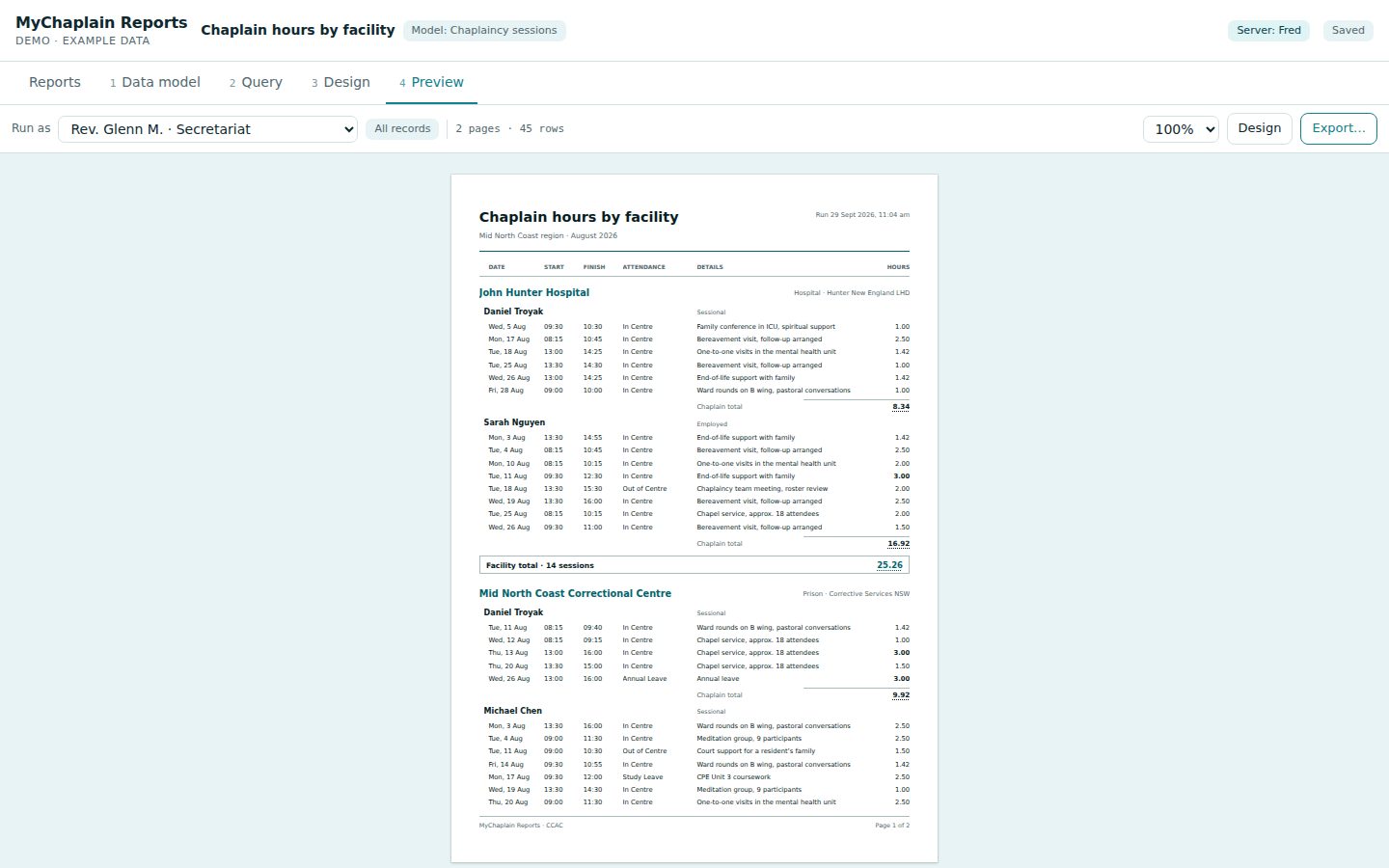 Reports add-on
Pixel-perfect reports for EspoCRM. Works like Microsoft Access: pick a data model, build a query, place every field on the page to a tenth of a millimetre, and run it to PDF, Word or Excel exactly as designed.
From US$490 per site
Explore Reports →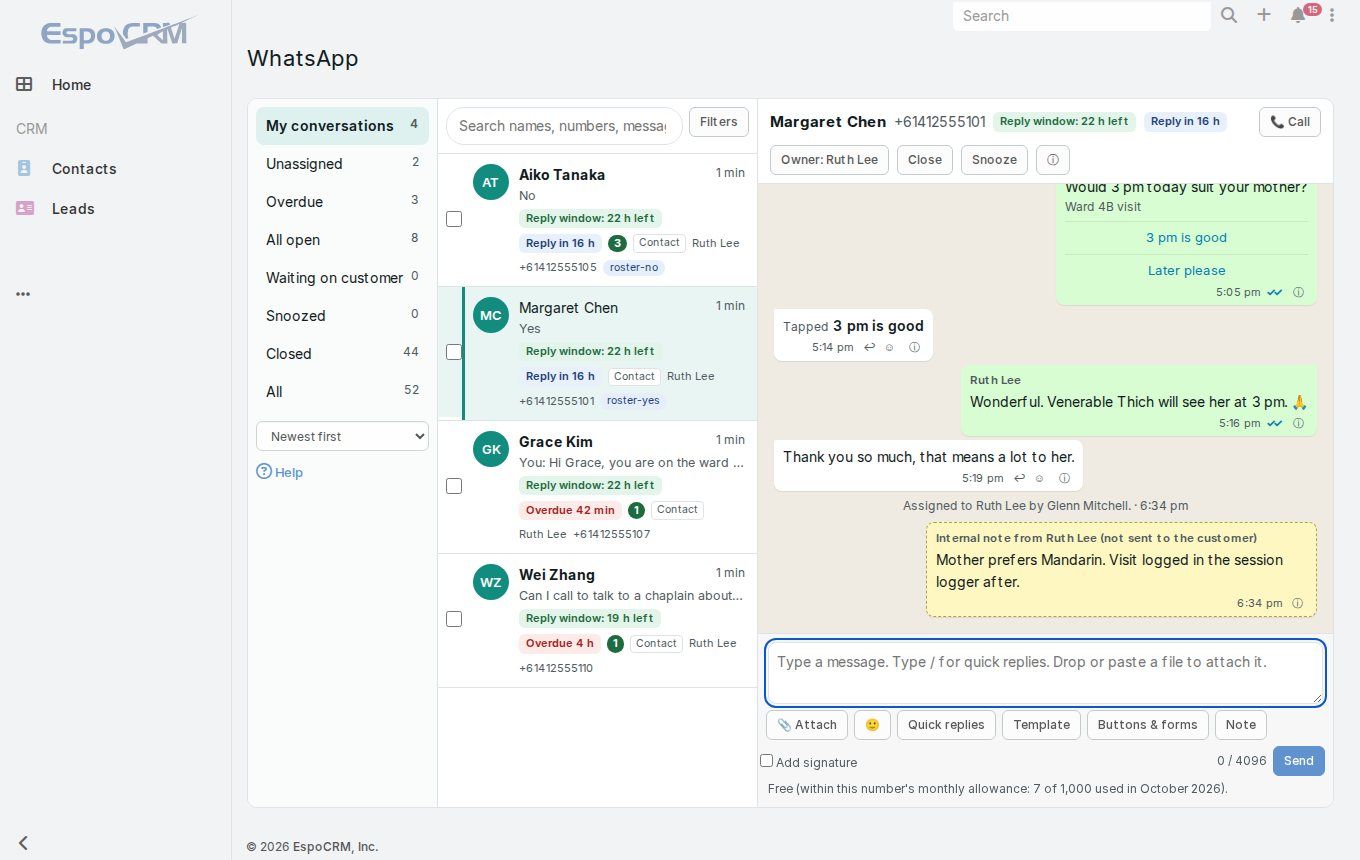 WhatsApp add-on
WhatsApp inside EspoCRM: a shared inbox, conversations on every contact and lead, templates, broadcasts and automations, with consent kept for you.
From US$590 per site
Explore WhatsApp →Records open as manila folders with tabs for details, documents, each related list, communications and activities. Linked records open in their own windows.
Search and saved filters live on the drawer front: one pick changes the list in place, with the open record still beside it. Or keep the classic list, with the same saved filters.
Folders, a reading pane, conversations, compose windows and email to task or case.
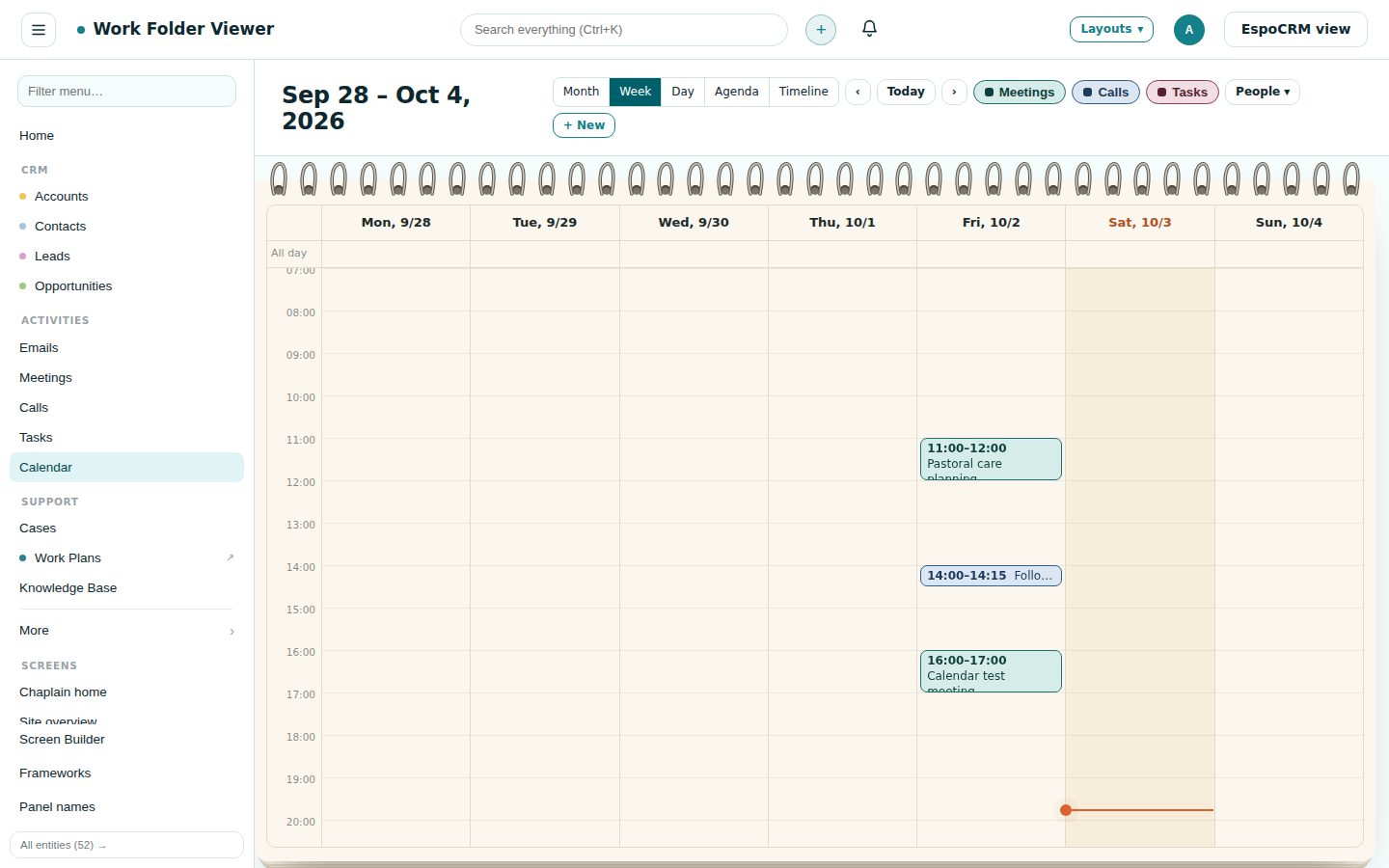
Month, week and day on a spiral pad. Drag to move or resize; add meetings, calls and tasks with attendees.
Drag-and-drop design objects: sections and columns, text, pictures, buttons, dividers and personalised fields such as First name and Unsubscribe link. Used for email templates and campaigns, with the HTML one click away.
Broadcasts to target lists from one screen, with a template designer, preview, scheduling and status.
Drag dashlets by their titles, resize by the corner, and keep the layout per person.
Plans with tasks, dates, people and dependencies on any record, started from templates.
Australian and international packs for appointments, onboarding, audits, privacy and projects, free with Plus.
Design record, list and app screens visually, with frameworks, design objects and phone layouts.
“EspoCRM has the strongest bones in open-source CRM. WorkFolder gives it the face.”
Thirty years of re-engineering how work gets done, several EspoCRM sites for clients, and one recurring problem: people loved what EspoCRM could do, but not how it looked and felt.
Try it free for a month on your own EspoCRM. Nothing to install: sign in and see your records as work folders.